
AR 600-9 Calculator: How Soldiers Use It Before Weigh-In
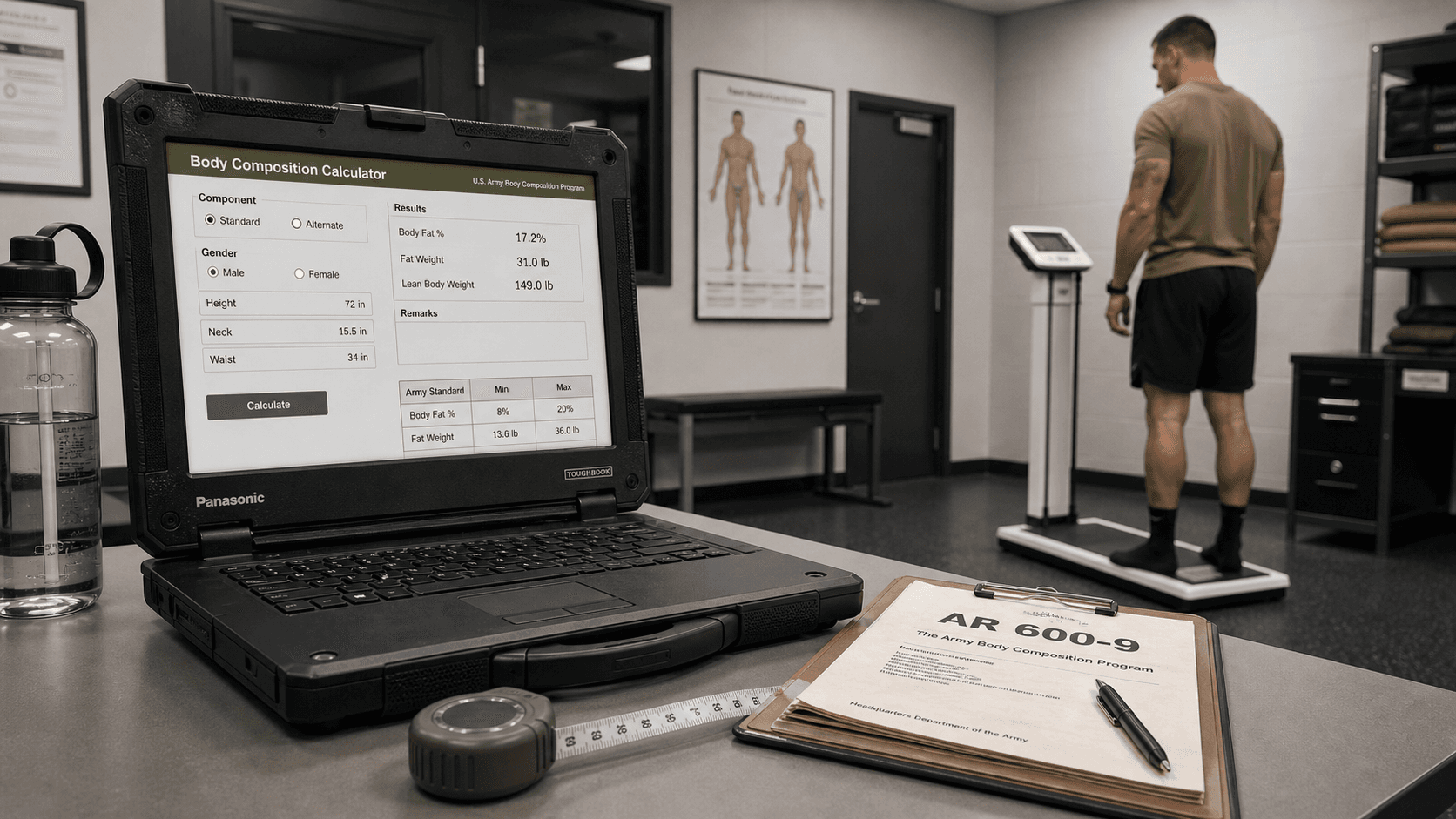
Cover image: U.S. Army reference illustration.
If you are searching for an AR 600-9 calculator, you probably want one answer fast: am I at risk before my next official weigh-in? That is exactly where this guide helps.
The calculator on this site is built to help Soldiers, recruits, and Guard or Reserve members check screening weight, understand whether a one-site tape test may be triggered, and estimate where they stand before an official assessment becomes a career problem.
If you want the tool first, open the Army Height and Weight Calculator. If you want the strategy behind it, keep reading.
What an AR 600-9 calculator actually does
An AR 600-9 calculator is not just a random body weight tool. It is a practical way to compare your:
- Height
- Weight
- Age group
- Gender
- Waist measurement (if screening weight is exceeded)
against the Army Body Composition Program (ABCP) rules used under AR 600-9 guidance.
In simple terms, it helps you answer three questions:
- Do I pass height and weight screening?
- If not, would I likely be taped?
- If taped, am I still likely to meet the body fat standard?
Why Soldiers use an AR 600-9 calculator before weigh-in
The biggest benefit is not just “knowing your weight.” The real benefit is avoiding the stress of walking into a screening day without a plan.
Common reasons people check early
- They are close to the max screening weight
- They recently gained weight after leave, travel, or reduced training
- They want to know whether a recruiter visit or unit weigh-in may trigger taping
- They are preparing for a body composition assessment and do not want a surprise
That is why monthly self-checks matter. A calculator gives you early warning instead of last-minute panic.
Step-by-step: how to use the AR 600-9 calculator correctly
1. Enter your height honestly
Use your current height in feet and inches. Small errors matter, especially if you are near the limit.
2. Enter current body weight
Do not guess low. Use your most recent real weight so the result reflects where you actually stand today.
3. Select the correct age group
AR 600-9 standards vary by age bracket. The calculator uses that bracket to compare your result with the correct standard.
4. Check the screening result first
This is the first gate. If you are under or at the screening weight for your height and age group, you usually pass the first step.
5. If needed, enter waist at the navel
If you exceed screening weight, the next question is tape risk. The current simplified method uses waist circumference at the navel for the one-site tape estimate.
For a full technique guide, read:
What numbers matter most before an official weigh-in
People often focus only on scale weight, but the smarter approach is to track both:
Screening weight
This tells you whether you are likely to clear the first checkpoint.
Waist trend
If your waist is trending upward, your tape estimate may become a problem even if your body weight only changed a little.
Timing
A self-check done 2 to 4 weeks before an official assessment is much more useful than checking the night before.
Common mistakes when using an AR 600-9 calculator
These mistakes create false confidence:
- Using an old body weight from weeks ago
- Measuring waist too high or too low
- Sucking in while measuring
- Picking the wrong age group
- Assuming a screening fail means an automatic overall fail
That last point matters: screening weight is only the first step. If you exceed screening, you may still pass body fat standards.
What to do if the calculator says you may be taped
Do not panic. Use the result as a planning signal.
First, check your trend
If you are only slightly over, consistent training, sleep, hydration, and nutrition can often improve your position before the official date.
Second, review the actual standards
Use these related pages:
- US Army Height and Weight Standards for 2026
- Army Body Fat Calculator
- Body Fat Standards by Age and Gender
Third, train with a timeline
Do not wait for “motivation.” If you are at risk today, act today. That is how Soldiers avoid tape-day surprises.
Best time to use the calculator
The best times are:
- At the start of each month
- Two to four weeks before a known weigh-in
- After a noticeable weight change
- Before a recruiter visit or processing event
Using it regularly creates confidence. Using it late creates stress.
Who this guide is for
This AR 600-9 calculator guide is especially useful for:
- Recruits preparing for enlistment requirements
- Active Duty Soldiers managing readiness
- National Guard and Reserve members tracking compliance between drill periods
- Anyone who wants a realistic self-check before an official assessment
Final takeaway
An AR 600-9 calculator is most useful when you use it early, use it honestly, and use it consistently. The goal is not just to “see a number.” The goal is to protect readiness, avoid last-minute stress, and stay ahead of the standard.
Start with the calculator here:
Then review the deeper policy pages if you need them:
Sources and references

Recommended Tools Reads
Quick internal links to the most relevant pages for AR 600-9, tape test rules, and ACFT exemptions.
- Open Army Height and Weight CalculatorCheck screening weight and estimate body fat percentage (AR 600-9).
- ABCP CalculatorComplete Army Body Composition Program calculator under AR 600-9 standards.
- Browse All Blog ArticlesGuides on AR 600-9, tape test rules, and ACFT exemptions.
- Calculator guide (AR 600-9)
- FAQ: AR 600-9 and tape test questions
Related Tools Articles
AR 600-9 Tape Test Rounding Rules: How to Measure Correctly
Learn how AR 600-9 tape test measurements are taken, how rounding works in real units, and how to avoid common mistakes before height and weight.
The New Army One-Site Tape Test Guide
The Army recently updated its body fat assessment method. Learn how the one-site tape test works and how it affects you.
Check Your Standards Now
Use the Army Height and Weight Calculator (AR 600-9) to check screening weight and estimate body fat percentage.